
Move Games From HDD to SSD
Tutorial
SSD upgrade = Gaming BLISS! Don't waste time waiting for games to load. This guides you through moving games from HDD to SSD with Steam Mover for a smoother, faster gaming experience.
POSTS
SSD upgrade = Gaming BLISS! Don't waste time waiting for games to load. This guides you through moving games from HDD to SSD with Steam Mover for a smoother, faster gaming experience.
Why do you still use your old outdated Hard Disk to play all your games, i know its cheaper than an SSD but trust me the experience is a very different.
HDD's are old and slow and can easily be damaged, so just move it over to your SSD.
I know you might be thinking you can just copy and paste it right? But did you realize that copying and pasting it is slow and it might give errors at times? This method won't give any error. It's using a tool known as Steam Mover. Download The app then continue reading.
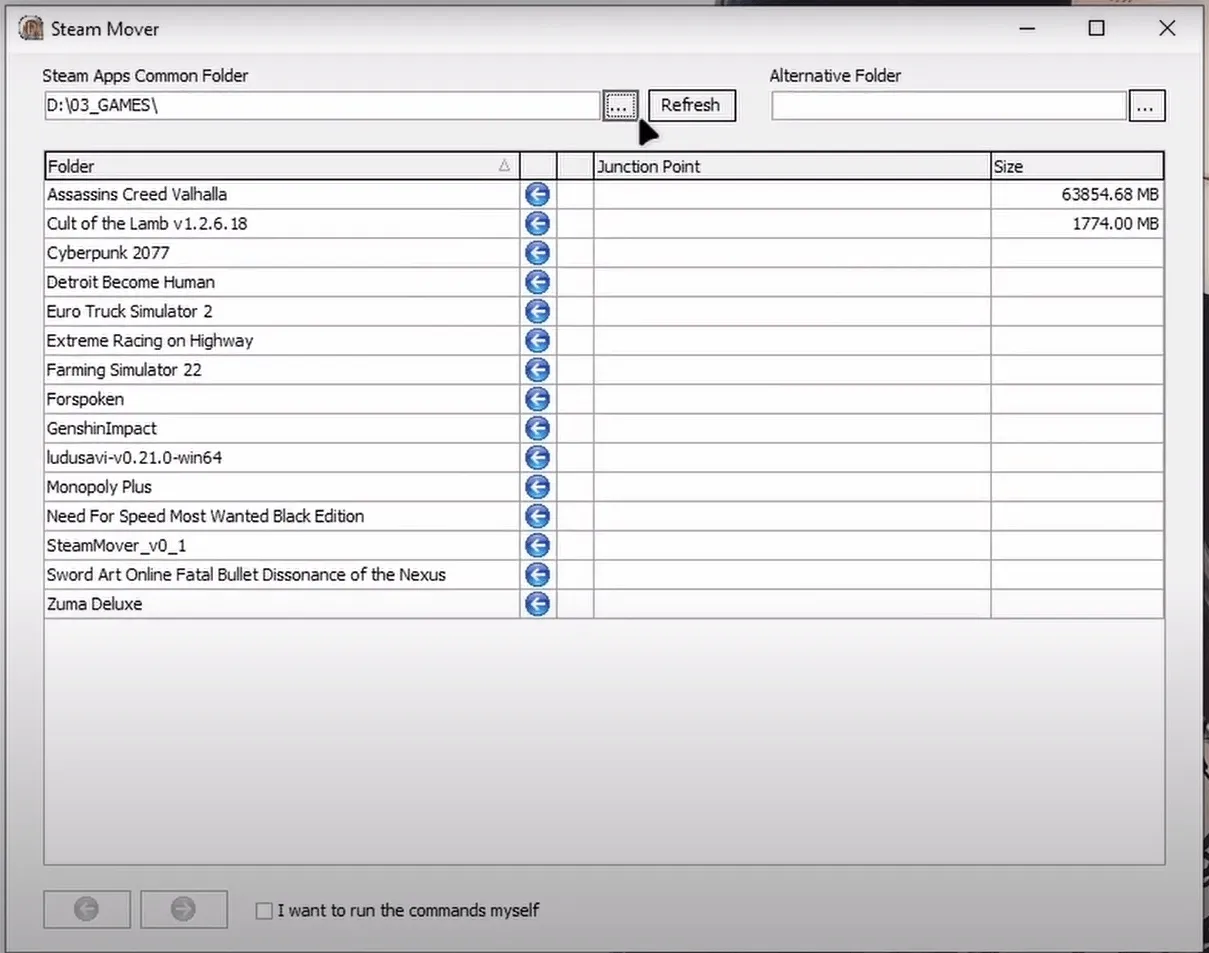
On the "Steam App Common Folder" Select the folder that contains all your games, that should be on your HDD.
Then for the "Alternative Folder" Select the folder you want to move your games to. This should be on your SSD.
Just Select the game you want to move then click on the Forward Button at the bottom.

Now you wait for it to complete then you enjoy your game as you would.

Android users have had Mihon for years, while iOS was stuck with popups and expired TestFlight betas. This guide walks you through setting up Aidoku on iPhone or iPad without needing a PC after day one.
Author
Japhet Adofo-Adjei
Duration
7 min

How to install and use MovieBox TUI on Windows, Linux, and Android with Termux to stream and download movies and TV shows directly from your terminal.
Author
Llewellyn Paintsil
Duration
8 min

Learn how to use Chrome Remote Desktop to securely access your computer, provide remote support, and connect to headless Linux devices from anywhere.
Author
Anna Ablordeppey
Duration
4 min

Comments
0 comments · Page 1 / 1