Have you ever seen those unexpected Bluetooth pairing requests appear on a phone and wondered where they came from? In this quick tutorial, LAP Tutorials demonstrates how a Bluetooth advertising application can be used to trigger Bluetooth pairing popups on nearby devices.
The process relies on Bluetooth Low Energy (BLE) advertising, allowing a device to broadcast signals that can be detected by compatible smartphones. While the method is often used as a harmless prank among friends, it also provides an interesting look into how Bluetooth discovery works behind the scenes.
Bluetooth Popup Prank is a technique that uses a BLE advertising application to broadcast signals that mimic discoverable Bluetooth accessories.
When nearby devices detect these broadcasts, they may display pairing prompts or connection notifications, creating the appearance that a new Bluetooth device is trying to connect.
The tutorial showcases a mobile application capable of sending these broadcasts with only a few taps.
Why You Should Use It
- Fun Demonstrations: Create harmless Bluetooth pairing prompts for friends.
- Learn BLE Technology: Understand how Bluetooth Low Energy advertising works.
- Easy Setup: Requires only a compatible Android device and the app.
- Customizable Broadcasting: Select different device profiles or collections.
- Educational Value: Great for learning how nearby device discovery functions.
How It Works
The application continuously broadcasts BLE advertisement packets.
Nearby smartphones scanning for Bluetooth devices receive these packets and may display connection requests or accessory popups depending on their operating system and Bluetooth settings.
The process does not necessarily establish a real connection; it simply advertises a device profile that compatible phones can detect.
How to Install the App
Before starting, ensure Bluetooth is enabled on your device. It is needed to run the adverts.
Step 1: Download the Application
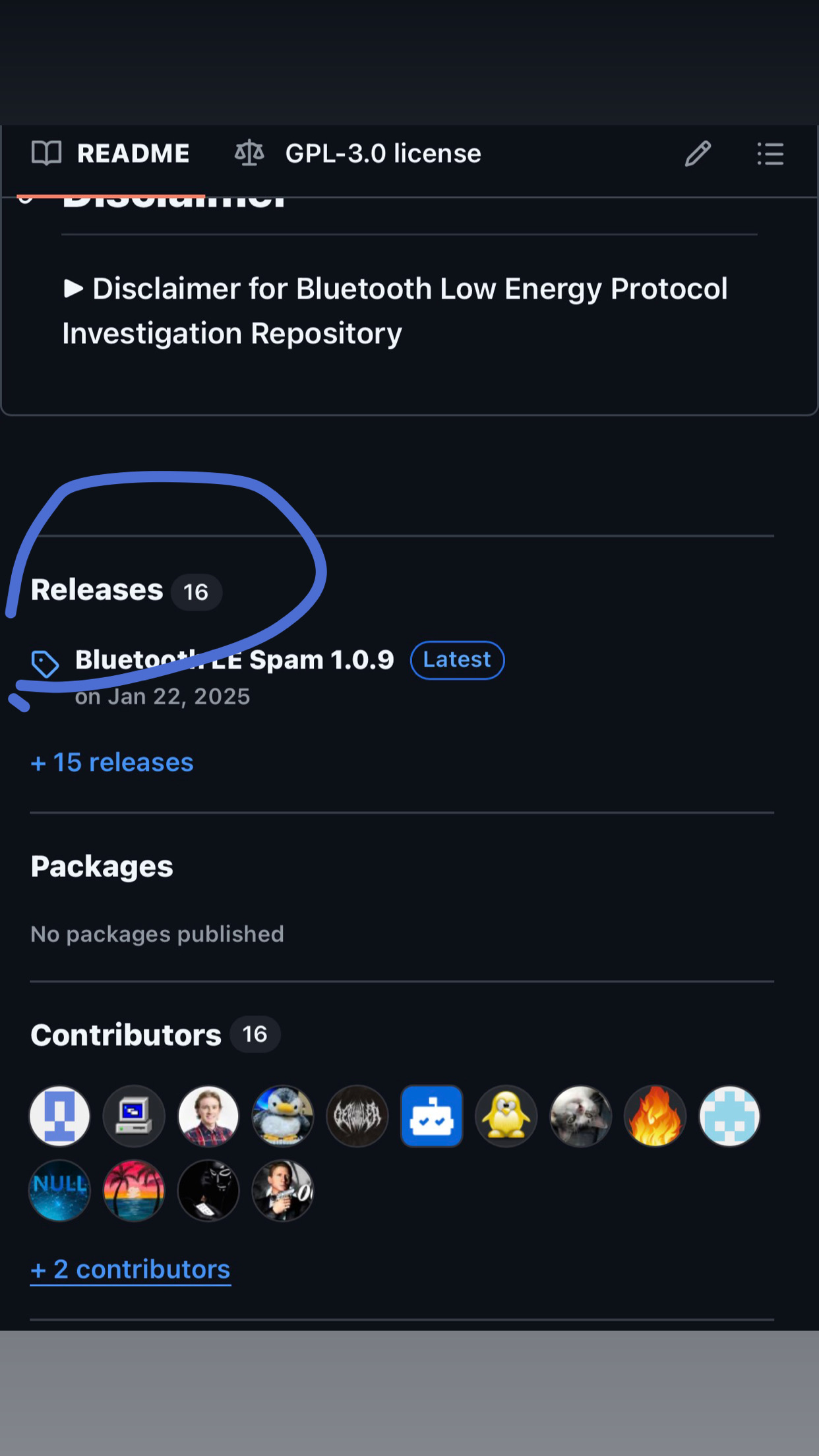
- Go the this GitHub repository (https://github.com/simondankelmann/Bluetooth-LE-Spam), scroll down to “Releases” and download the Bluetooth advertising application.
- If prompted, allow installation from unknown sources.
- Complete the installation process.
Step 2: Launch the App
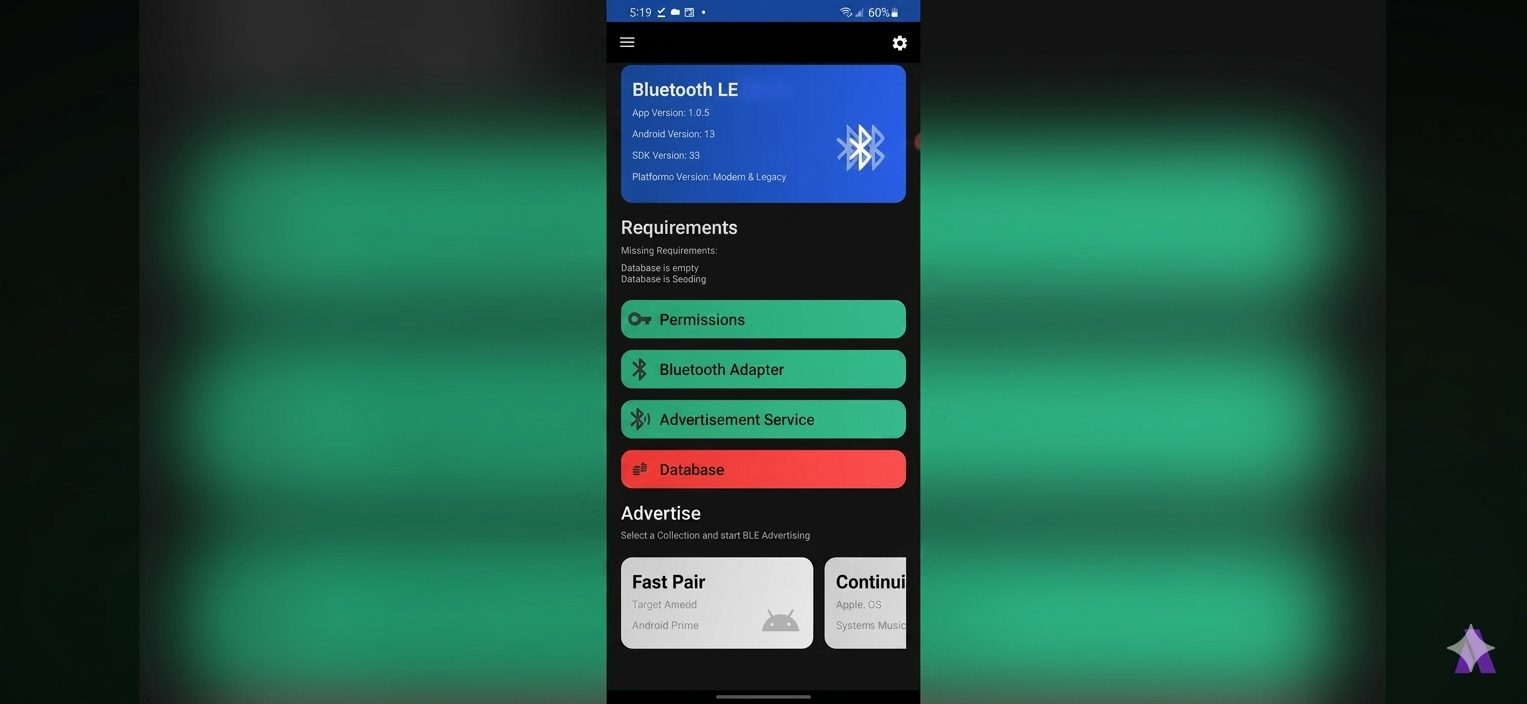
- Open the application.
- Wait for the interface to load.
- Verify that Bluetooth is enabled.
Step 3: Grant permissions
The application may require:
- Bluetooth permissions
- Nearby devices access
- Location permissions (on some Android versions)
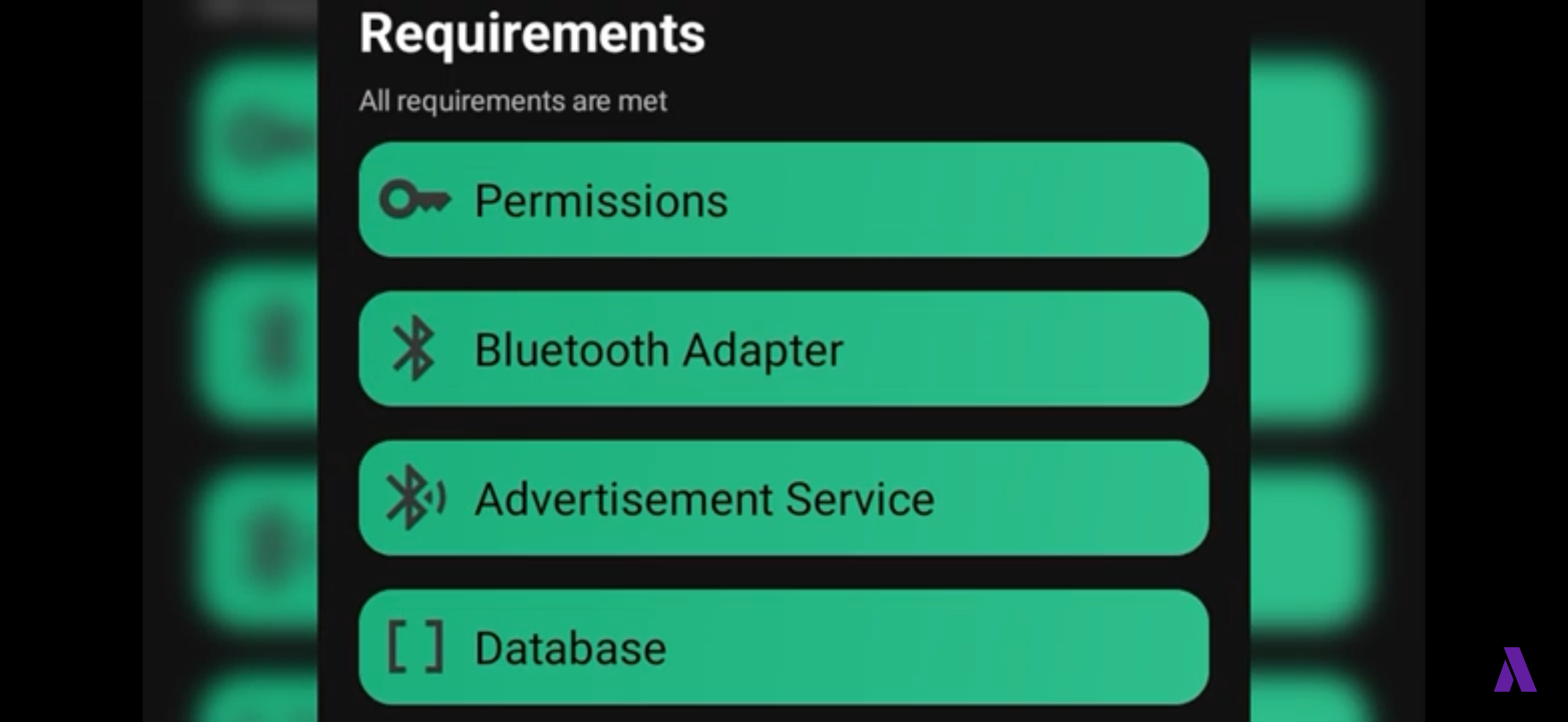
Approve the requested permissions (Permissions, Bluetooth Adapter,Advertisement Service & Database) for proper functionality, and tap on one of the options under the “Advertise” section
Once the app is ready:
- Open the application dashboard.
- Select a device collection or advertising profile.
- Tap Continue or Start Advertising.
- Move within range of nearby Bluetooth-enabled devices.
- Watch for pairing prompts or connection notifications appearing on compatible phones.
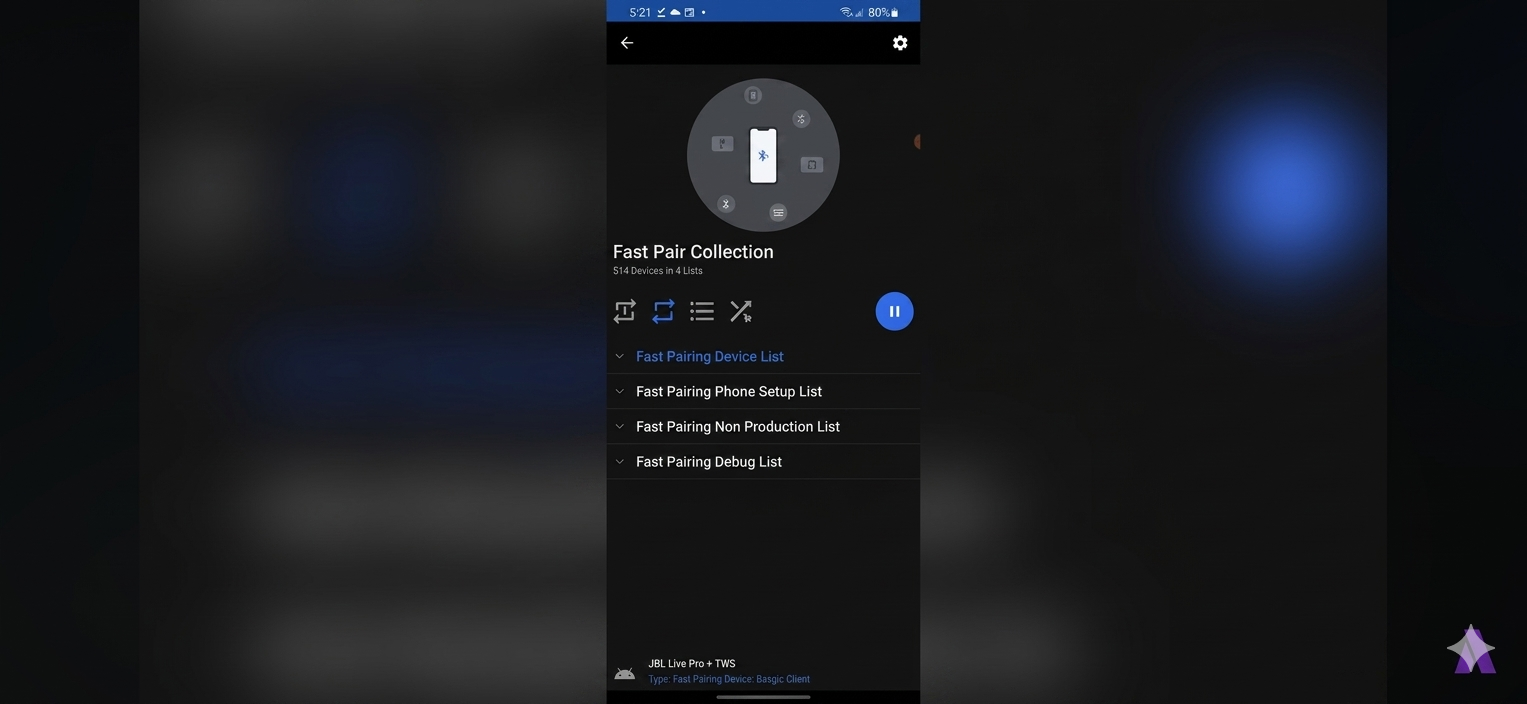
The app will continue broadcasting until you stop the advertising session.
Important Notes
- Results vary depending on the target device and operating system.
- Some devices may ignore or filter advertisement packets.
- Use responsibly and avoid disrupting others.
- Bluetooth security features on modern phones may limit the effectiveness of certain broadcasts.
Conclusion
Bluetooth Popup Prank demonstrates how simple BLE advertising can trigger Bluetooth discovery notifications on nearby devices. Beyond its entertainment value, the tutorial provides a practical introduction to Bluetooth Low Energy technology and how modern smartphones detect wireless accessories.
Whether you’re experimenting with Bluetooth protocols or simply exploring a fun tech trick, the setup process is straightforward and can be completed in just a few minutes.
Disclaimer: This article is intended for educational and informational purposes only. Always use Bluetooth advertising tools responsibly and respect the privacy and comfort of others.




Comments
0 comments · Page 1 / 1